Lab Goals
Card Games (with GUTS support)
In this exercise you will need to complete the inner workings of a WPF application. The applications allows you to play a Higher-Lower card game.
The Higher-Lower game goes like this:
-
A card is dealt from a deck of cards
-
You have to guess if the next card will be higher or lower than the current card
-
When you have a certain number of correct guesses in a row, you win the game
-
When you make a wrong guess, your correct-guess-streak gets reset to zero
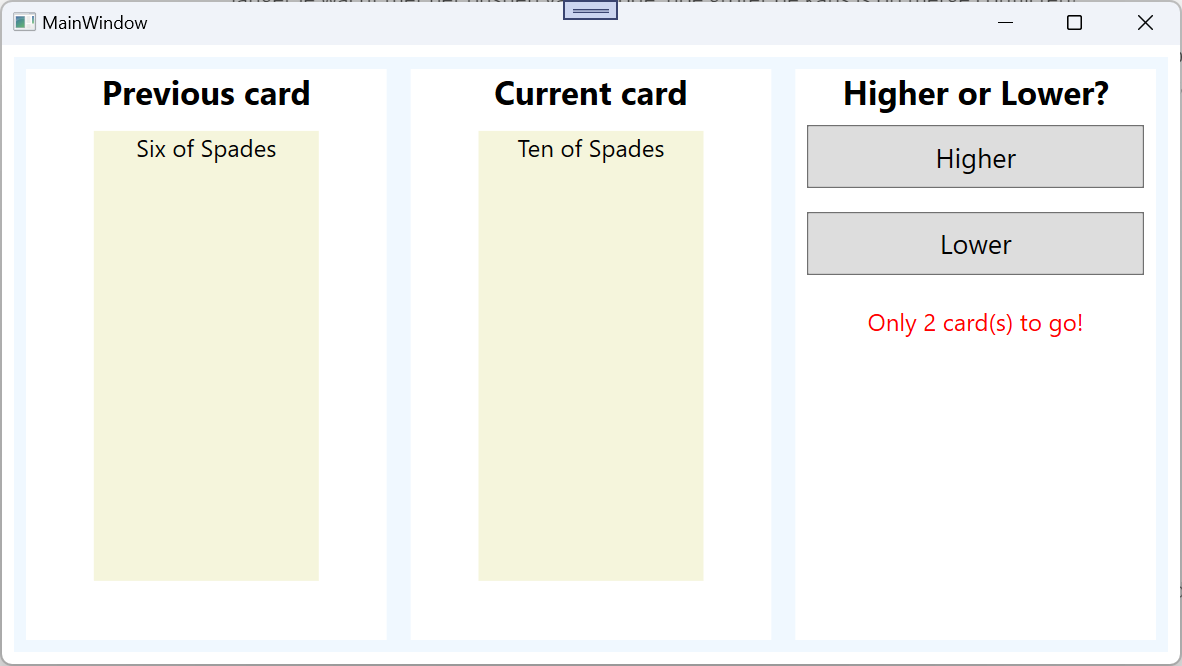
The starter solution contains 3 projects:
-
CardGames.Desktop: this is the WPF application. All code in this project is given. You don’t need to change a thing in this project. Study the MainWindow.xaml.cs code, to understand how the
HigherLowerGameclass (from the CardGames.Domain project) is used. As you can see the main window starts a game with a deck that has all cards below 5 removed (this includes the Aces because an Ace has value 1). You must have 3 correct guesses in a row to win. -
CardGames.Domain: this project is a class library that contains classes that try to capture the domain logic of playing a Higher-Lower card game. This is where the real magic happens. This is where you will need to do the work for this exercise. In this project you will find definitions for domain concepts like a card (that has a suit and a rank), a deck of cards (
CardDeck) and an Higher-Lower game (HigherLowerGame). -
CardGames.Domain.Tests: this project contains the (GUTS) tests that verify the code in the CardGames.Domain project. You cannot alter a single line of code here, otherwise your testresults cannot be send to the GUTS system.
Let the automatic tests guide you into understanding the intent of the code and into completing the code.
Use the WPF app to verify if it all actually works.
Balloon Fun (without GUTS support)
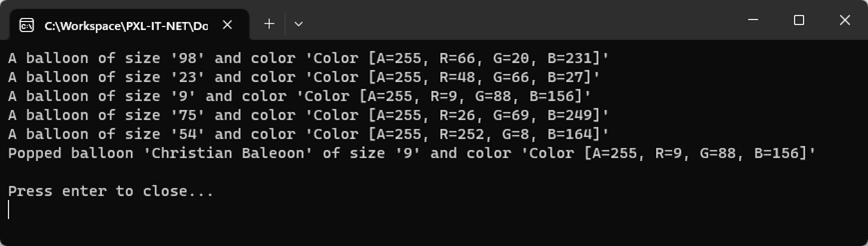
The Balloon Fun appliscation is a console application that randomly creates 5 balloons and writes about each created balloon to the console window.
Next 1 of the 5 balloons is randomly chosen and baptized. The balloon is baptized by giving it the name "Christian Baleoon".
Finally information about the baptized balloon is written to the console window.
Step 1: Open the Balloon Fun solution
Open the Balloon Fun solution in Visual Studio. This starter solution compiles
but throws a NullReferenceException when you run the application.
Step 2: Complete the application
Make sure the program works as described. Make sure the following statements about the code are true:
-
Balloon.cs-
Balloonis a value type. -
ColorandSizeproperties only can get a value assigned in the constructor or at declaration. -
The
Nameproperty can only be assigned by code in deBalloonclass itself. -
The
Nameproperty is expected to benullafter construction. -
The compiler does not show warnings about the
Balloonclass.
-
-
BalloonProgram.cs-
The
_outputand_randomfields should get their values assigned in the constructor or at declaration. After that the fields cannot get another value anymore. -
The
Runmethod creates 5 random balloons using an extension method ofRandomand writes them to the output. -
The
Runmethod randomly picks a balloon using an extension method ofRandom. -
The
Runmethod gives the balloon a name ("Christian Baleoon"). -
The
Runmethod writes to the ouput that the balloon is popped. The written name should be Anonymous if the balloon does not have a name. -
The compiler does not show warnings about the
BalloonProgramclassTiptake a look at the ??operator also called the null-coalescing operator.
-
-
RandomExtensions.cs-
Is a class that contains extension methods.
-
The
NextBalloonmethod is an extension method that can be invoked like this:Balloon newBalloon = random.NextBaloon(20); -
The
NextBalloonFromArraymethod is an extension method that can be invoked like this:Balloon pickedBalloon = random.NextBalloonFromArray(arrayOfBalloons);TipYou can make use of the private GenerateRandomColormethod
-